Single-Sided vs Dual-Sided Card Printing Kiosks Explained
Single-sided and dual-sided are not just checkbox items on a datasheet. They change the card path, the time-to-card, the number of moving parts, and the way a kiosk handles a failed print. A buyer who starts with the print orientation question can narrow the hardware field quickly.
When a buyer first evaluates a Card Self-Service Kiosk, the single-sided versus dual-sided decision usually drives the rest of the specification.
The Real Difference Between Single-Sided and Dual-Sided
A single-sided kiosk prints on one face of the card and leaves the opposite face untouched or factory-preprinted. A dual-sided kiosk prints both faces in one job. The distinction sounds trivial, but inside the printer it requires either a duplex path with a card flipper or a second print engine. That extra path adds cost, physical space, and maintenance points. It also removes a common manual step: flipping a card and sending it through twice.
Print Path, Media Handling, and Failure Points
Single-sided kiosks keep the card path short. The card enters, passes under or over the printhead or retransfer film, and exits. Fewer turns mean fewer jams and fewer places where a worn roller can distort color registration.
Dual-sided kiosks add a reversal stage. After the first side is printed, the card either flips inside the machine or moves to a second station. The time penalty is small on modern equipment, but the added complexity is real. A technician will usually spend more time cleaning and aligning a dual-sided path, especially in high-dust environments such as factory lobbies or outdoor event entrances.
Entry-level single-sided units in self-service form often run faster per card than dual-sided units at the same price point because there is no reversal cycle.
When Single-Sided Makes Sense
Temporary badges, visitor passes, guest cards, ticket stubs, and event credentials often need only one personalized face. The reverse side may be preprinted with rules, sponsor marks, or legal text. The kiosk only has to personalize the front with a name, photo, date, and barcode. That keeps the card design simple and the print job short.
For short-term credentials at a conference or exhibition, an Event Badge & Card Kiosk is often configured around single-sided output. The front carries the attendee’s name and organization; the back carries preprinted safety instructions or a sponsor panel. In that workflow, dual-sided printing would slow the queue without adding much value.
When Dual-Sided Earns Its Space
Employee badges, student IDs, government cards, and membership credentials often need two live surfaces. The front may show a photo, name, and role. The back may hold a barcode, magnetic stripe, emergency contact text, or terms and conditions. Printed terms on the back of a card are easier to update than a preprinted stock order, especially when the text changes by department or location.
A Personal ID Card Kiosk commonly uses dual-sided printing because HR and security teams want the card to carry both visual identity and machine-readable or legal information. The reverse side may include a code of conduct, a lost-card return address, or an access-control legend. That information is printed at the same time as the portrait, so every card is consistent.
Encoding, Lamination, and Card Stock
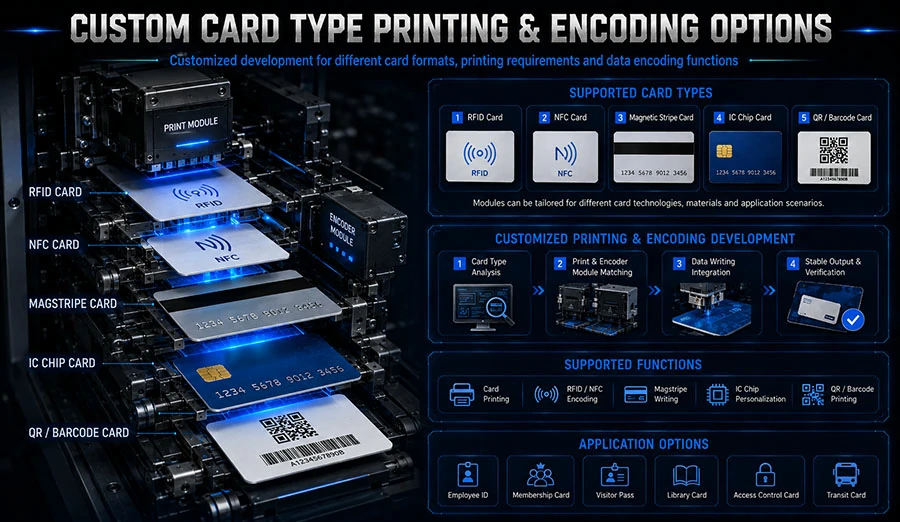
Do not conflate print sides with encoding. A single-sided kiosk can still encode a magnetic stripe or contactless chip on the back of a card. Encoding and printing are separate stages. The decision is whether you need visible text on that side, not whether the machine can write data to it.
Lamination changes the calculation. A dual-sided kiosk with overlamination on both sides protects the printed card from abrasion, but it requires a larger chassis and more consumables. If the back side is blank, one-sided overlay may be enough.
Throughput and Queue Behavior
A dual-sided job takes slightly longer than a single-sided job on the same class of hardware because the card must reverse or move through a second imaging stage. However, the practical effect on a self-service queue can be smaller than expected. If the dual-sided kiosk removes the need for staff to flip cards or stock multiple preprinted designs, total transaction time can improve.
The bigger bottleneck is usually data capture: typing a name, checking an ID, or taking a photo. A kiosk that reduces manual steps after data capture often matters more than raw print seconds.
Comparison Table
| Factor | Single-sided kiosk | Dual-sided kiosk |
|---|---|---|
| Printed surfaces | One face only | Both faces in one job |
| Card path complexity | Short, fewer rollers | Longer path with flipper or second station |
| Initial hardware cost | Lower | Higher |
| Consumables | Single-side film or ribbon | Duplex film or ribbon, sometimes two panels |
| Per-card print time | Usually faster | Slightly slower on same engine class |
| Jam risk | Lower in simple paths | Higher due to reversal stage |
| Best suited for | Temporary badges, event passes, visitor IDs | Employee IDs, student cards, membership cards |
| Reverse side options | Preprinted stock or blank | Personalized text, barcode, terms, signature panel |
Choosing by Card Lifecycle
A card that lives in a wallet for two years probably justifies dual-sided printing. A card that is worn for one day and discarded usually does not. The cost difference between a single-sided and dual-sided kiosk is real, but it tends to be smaller when measured over the life of a system than when measured as an upfront line item.
Start with the card. Define what must be visible on each side at the moment of issuance. If the back side is static legal text or branding, buy preprinted stock. If the back side changes per person or per location, choose dual-sided.
Network, Software, and Diagnostics
Both configurations rely on the same web-based management, card design templates, and printer driver logic. The difference shows up in error handling. A dual-sided kiosk should report which face failed, not just “print error.” That level of detail helps a remote administrator decide whether to retry the job, clean the duplex path, or dispatch a technician.
Card stock also matters. Dual-sided printing is less forgiving with warped cards. A warped card can catch on the turnaround path. Single-sided paths tolerate slight bowing better. In a self-service environment where cards may sit in a hopper for weeks, that difference can affect daily uptime.
Security and Access Control
For personal identity programs, dual-sided printing supports fine text on the reverse, but that alone is not security. Holographic laminate, UV panels, and secure encoding matter more. A self-service kiosk should be chosen for the full issuance workflow: ID proofing, photo capture, data lookup, print, encode, and dispense.
The kiosk category itself matters because the housing, card hopper, and user interface determine whether the printer can run unattended. A desktop printer mounted in a cabinet is not the same as a purpose-built kiosk with controlled card dispensing and user guidance.
FAQ
Can a single-sided kiosk use preprinted card stock?
Yes. Many visitor and event workflows use cards with the back side already printed with terms, sponsor logos, or safety information. The kiosk personalizes only the front.
Can a dual-sided kiosk print one side only?
Most dual-sided engines can run single-sided jobs through a driver or card design setting. The hardware still costs more, but it gives operators flexibility.
Is dual-sided printing always slower?
Not always. The reversal stage adds time per card, but the total throughput may still be acceptable. The delay is often less than the manual work it eliminates.
What card size do these kiosks use?
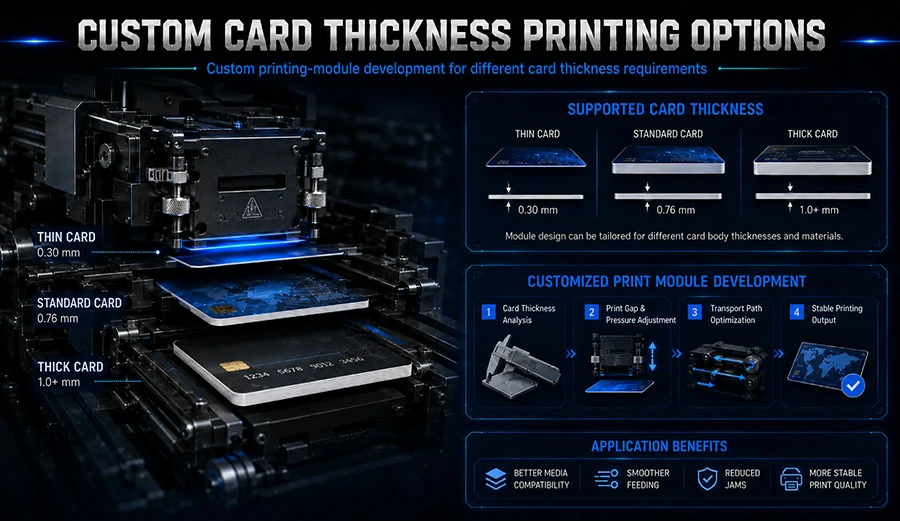
Most self-service card kiosks use CR80 cards, the same 85.60 mm × 53.98 mm format as bank cards and driver’s licenses. Card thickness options vary, typically from 0.50 mm to 1.00 mm depending on the printer.
Does dual-sided printing require different consumables?
Yes, in most cases. Dual-sided printing consumes film or ribbon for both faces, and the printer may need a duplex panel or separate ribbon panel. Check the manufacturer’s consumable schedule before comparing hardware prices.
What is the typical print speed for self-service card kiosks?
Industry speeds often range from roughly 100 to 300 cards per hour depending on print technology, resolution, encoding, and lamination. A single-sided job at the same engine class usually prints faster than a dual-sided job because no reversal cycle is required.
Final Selection Criteria
Define the back side of the card first. Then compare the complete kiosk, not just the print engine. Look at card hopper capacity, user interface, encoding options, remote diagnostics, and the availability of replacement rollers and printheads. Single-sided hardware will cost less and fit tighter spaces. Dual-sided hardware will handle more personalization without manual intervention.
That decision gets easier when you examine the product category by job type: event badges, personal IDs, and general self-service issuance. The print orientation is only one part of the system, but it is the part that shapes card design, queue speed, and maintenance for years.