Preventive Maintenance for Kiosk Card Printers
A card printer inside a self-service kiosk has a harder life than one sitting on an office desk. It runs unattended, gets operated by people who have never seen a manual, and is expected to issue a clean ID card, insurance card, or event badge on the first attempt — every attempt. When a kiosk jams at 2 a.m. in an airport or a hospital lobby, there is no IT technician standing by to clear it. That is the operational reality behind preventive maintenance for kiosk card printers: not a nice-to-have service contract, but the difference between a self-service channel that works and one that quietly erodes user trust.
Most maintenance advice is written for desktop printers in climate-controlled offices. Kiosk card printers live in a different environment — dust, temperature swings, high duty cycles, and users who push cards in at the wrong angle. Reactive repair, where you wait for a failure and then dispatch a technician, is expensive and slow. This guide walks through a maintenance program built around how card-issuing kiosks actually fail, from the printhead to the encoding module, and what a buyer or operations manager should schedule, inspect, and document.
Key Takeaways
- Build a maintenance calendar around duty cycle and environment, not a fixed annual visit.
- Clean the printhead and rollers on a schedule tied to cards printed, not calendar months.
- Inspect card path, encoding modules, and hopper alignment at every service interval.
- Keep a spare parts kit and log every intervention to predict failures before they happen.
- Train on-site staff to clear jams and run daily checks without opening the printer.
The Failure Modes You Are Actually Managing
Before scheduling anything, it helps to know what breaks. Card printers in kiosks fail in a handful of predictable ways, and each one maps to a specific maintenance action.
Printhead wear and contamination. Thermal printheads degrade with every card. Dust, card debris, and outgassing from PVC cards build up on the heating elements, causing white streaks and faded panels. Industry guidance from printer manufacturers typically recommends cleaning the printhead every 1,000–2,000 cards, but that range assumes clean office air. In a kiosk exposed to outdoor dust or heavy foot traffic, the interval should be shortened — sample testing under your actual duty cycle is the only reliable way to set it.
Roller and card-path contamination. Feed rollers pick up plasticizer and dust from card surfaces. As they glaze, cards skew, double-feed, or jam. This is the single most common cause of unattended kiosk downtime.
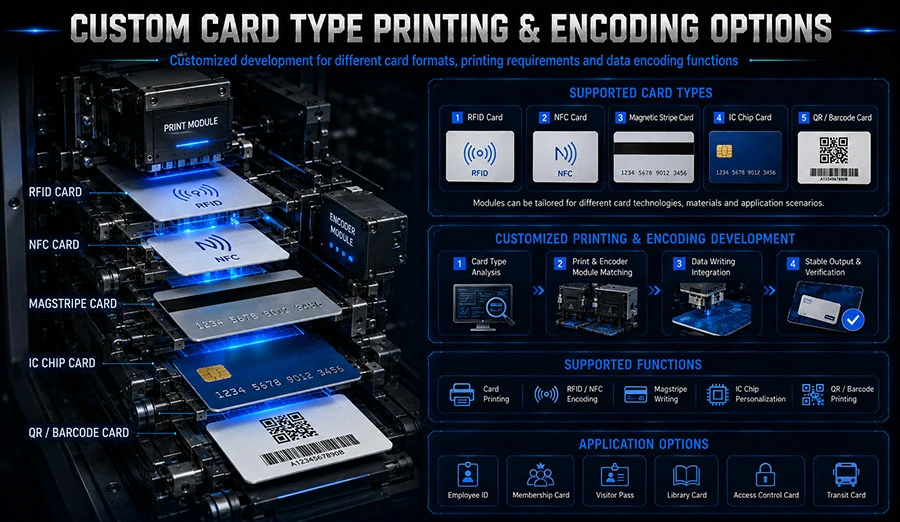
Encoding and inspection faults. Kiosks that write magnetic stripes, contact/contactless chips, or run AI card inspection add modules that need their own checks. A dirty read head produces encoding errors that look like software bugs.
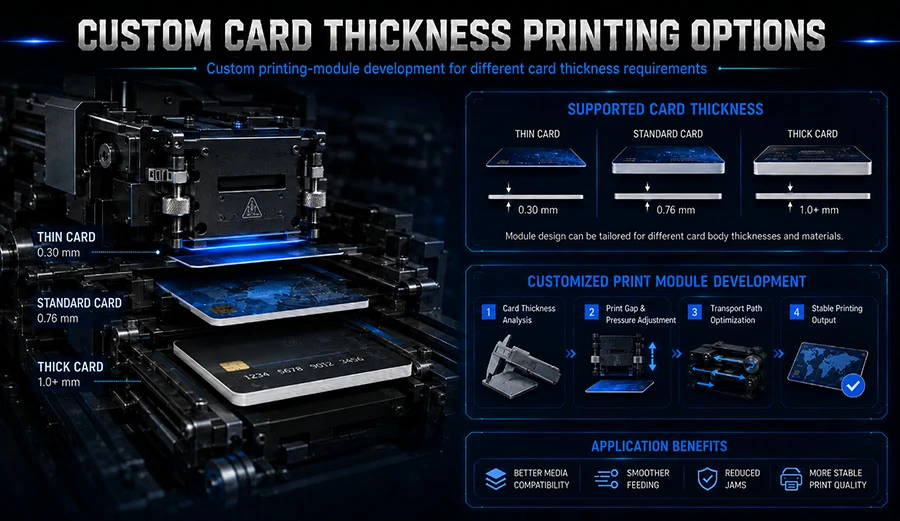
Environmental stress. Temperature and humidity swings warp cards and affect print quality. Kiosk enclosures help, but they are not cleanrooms.
The point is that preventive maintenance is not one task — it is a set of tasks with different intervals, each targeting a known failure mode.
Setting the Maintenance Calendar
A fixed “service once a year” contract is the wrong model for a card-issuing kiosk. The right model ties intervals to three variables: cards printed per month, the deployment environment, and the criticality of the kiosk.
A practical starting framework looks like this:
| Interval | Task | Trigger |
|---|---|---|
| Daily | Visual check, test card, clear debris | Start of business |
| Every 1,000–2,000 cards | Printhead clean, roller wipe | Card counter |
| Monthly | Full card-path inspection, encoding test | Calendar |
| Quarterly | Deep clean, calibration, firmware check | Calendar |
| Annually | Printhead assessment, parts replacement review | Calendar + wear data |
These intervals are starting points, not gospel. A kiosk issuing 50 cards a day in a covered lobby needs a different schedule than one issuing 500 a day in a transit hub. The card counter — not the calendar — should drive the high-frequency tasks. If your kiosk software exposes a print count, use it. If it does not, ask your kiosk supplier whether the counter can be surfaced to your remote monitoring dashboard.
For buyers specifying a new deployment, this is worth raising at the design stage. A custom card self-service kiosk can be built with service access panels, remote diagnostics, and a print counter exposed to your monitoring system — decisions that are cheap at design time and expensive to retrofit.
Daily Checks Your On-Site Staff Can Run
The most effective maintenance program pushes the cheapest tasks to the people already on site. A receptionist or lobby attendant can run a two-minute daily check without opening the printer.
- Print a test card. Confirm the output is clean — no streaks, no faded panels, correct alignment.
- Check the card hopper. Confirm stock is loaded correctly, cards are not stuck together, and the level is adequate for the day.
- Clear visible debris. Wipe the card entry slot and inspect for dust or foreign objects.
- Confirm the kiosk reports “ready.” Note any error codes and report them.
This daily routine catches the majority of developing faults before a user encounters them. It also creates a paper trail: a log of test-card results and error codes gives your service technician real data instead of a vague “it jammed.”
The Deep-Clean Procedure
The deep clean is the core of preventive maintenance, and it is where most programs fail — either because it is skipped, or because it is done with the wrong materials.
What you need: approved cleaning cards or cleaning swabs, isopropyl alcohol (typically 99% concentration, per printer manufacturer guidance), lint-free wipes, and the printer’s service manual.
The sequence:
- Power down and open the service panel. Follow the manufacturer’s lockout procedure.
- Clean the printhead. Use a cleaning swab moistened with isopropyl alcohol. Wipe gently along the element array — never scrub across it. Let it dry fully before reinstalling.
- Clean the rollers. Wipe feed and transport rollers with a lint-free cloth and alcohol. Replace any roller that is glazed, cracked, or flattened.
- Clean the card path. Remove dust and card debris from the transport channel.
- Clean encoding and inspection modules. Follow the module manufacturer’s guidance — magnetic read heads and camera lenses have their own cleaning requirements.
- Reassemble, run a test card, and log the result.
The mistake that costs the most money is using the wrong solvent or a rough cloth on the printhead. Thermal printheads are delicate; a scratched element array means replacement, and replacement is the single most expensive consumable in the printer.
Inspecting the Modules That Cause Silent Failures
Cleaning gets the attention, but inspection is where preventive maintenance earns its keep. Some of the most damaging faults are silent — the kiosk keeps issuing cards, but the cards are wrong.
Encoding modules. Magnetic stripe and chip encoding heads accumulate debris and drift out of alignment. Test-encode a card at every service interval and verify it reads back correctly. A kiosk that issues a card with a failed encoding write is worse than one that is down, because the user walks away believing the transaction succeeded.
Card inspection systems. Kiosks with AI card inspection — such as those used for insurance card issuance — rely on camera and lighting modules that need clean lenses and stable illumination. A dirty lens produces false rejects, which look like a quality problem but are a maintenance problem.
Hopper and transport alignment. Cards that feed at a slight angle cause intermittent jams that are hard to reproduce. Check hopper alignment and transport guides at every deep clean.
For deployments where card integrity is regulated — insurance cards, personal ID cards — this inspection step should be documented. A personal ID card kiosk or an insurance card kiosk issuing credentials that must pass inspection benefits from a maintenance log that proves each module was verified.
Building a Spare Parts and Consumables Kit
Downtime is usually a logistics problem, not a technical one. The technician arrives, diagnoses a worn roller, and then waits three days for the part. A spare parts kit eliminates that wait.
What to stock:
- A spare printhead (the highest-cost, highest-impact spare)
- Feed and transport rollers
- Cleaning cards and swabs
- A spare encoding module if the kiosk writes chips or stripes
- Fuses and basic electronics spares per the manufacturer’s recommendation
The right kit size depends on your fleet. A single kiosk in a low-traffic site needs less than a fleet of twenty in transit hubs. The principle is the same: match spares to the failure modes you have actually observed, and review the kit annually against your maintenance log.
Documenting and Predicting Failures
Every maintenance intervention should produce a record: date, card count, tasks performed, parts replaced, test-card result, and any error codes observed. Over six to twelve months, this log becomes a predictive tool.
If printhead cleans are needed more often than expected, the environment is dirtier than assumed — consider a kiosk enclosure upgrade or a shorter interval. If jams cluster around a specific roller, that roller is failing early. If encoding errors rise, the module needs attention before it fails outright.
This is also where remote monitoring pays off. Kiosks that report card counts, error codes, and module status to a central dashboard let you schedule maintenance by condition rather than by calendar. When specifying a new kiosk, ask whether the printer and encoding modules expose this data — it is a design decision, and a custom kiosk built for your workflow can include it from the start.
Pro Tips for Success
- Set intervals by card count, not calendar. A kiosk printing 500 cards a day needs printhead cleaning roughly ten times more often than one printing 50.
- Use only manufacturer-approved cleaning materials. The wrong solvent or a rough cloth can destroy a printhead in one pass.
- Log every intervention. Six months of data turns a maintenance schedule into a failure-prediction model.
- Train on-site staff on the daily check. The cheapest fault is the one caught before a user sees it.
- Review your spare parts kit annually. Failure modes change as a kiosk ages; so should your stock.
Frequently Asked Questions
How often should a kiosk card printer be cleaned?
Printhead cleaning is typically recommended every 1,000–2,000 cards, but kiosk environments vary widely. Dusty or high-traffic sites need shorter intervals. Use your print counter and maintenance log to set an interval based on observed performance rather than a generic calendar schedule.
Can on-site staff perform preventive maintenance?
Daily checks — test cards, hopper inspection, debris clearing — are safe for trained on-site staff. Deep cleaning of the printhead and encoding modules should be done by a technician following the service manual, because incorrect cleaning can permanently damage the printhead.
What causes most kiosk card printer failures?
Roller and card-path contamination is the most common cause of jams and misfeeds, followed by printhead contamination causing print-quality faults. Encoding module debris and alignment drift cause silent failures where cards are issued but invalid. Each maps to a specific maintenance task.
How do I know when to replace the printhead?
Track print quality against card count in your maintenance log. Streaks or faded panels that persist after cleaning, or a printhead that reaches the manufacturer’s rated card life, indicate replacement. Keep a spare printhead in stock to avoid downtime waiting for a part.
Does kiosk design affect maintenance cost?
Yes. Service access panels, remote diagnostics, exposed print counters, and module-level status reporting all reduce maintenance time and enable condition-based scheduling. These are design decisions best raised with your kiosk supplier before the build, not after deployment.
Where This Leaves Your Program
Preventive maintenance for kiosk card printers works when it is built around how the machines actually fail — printhead contamination, roller glazing, encoding drift, and environmental stress — rather than a generic annual service visit. The program that holds up is the one that pushes daily checks to on-site staff, ties deep cleaning to card count, inspects the silent-failure modules at every interval, and keeps a spare parts kit so a worn roller does not become a three-day outage.
Start with the daily check and a maintenance log. Within a few months you will have the data to set intervals that match your actual duty cycle, and a record that proves each module was verified. If you are specifying new kiosks, raise maintenance access, remote diagnostics, and print counters at the design stage — the NP Printer team builds custom card-issuing kiosks with these serviceability decisions built in, and the conversation is far cheaper before the enclosure is finalized than after.